

Feature
Auto Captions
Automatically add animated subtitles to your Premiere Pro edits with AutoCaptions! Designed to energize your video edits and simplify creating animated subtitles that match your design!
Feature
Auto Captions
Automatically add animated subtitles to your Premiere Pro edits with AutoCaptions! Designed to energize your video edits and simplify creating animated subtitles that match your design!

Watch Demo
Watch Demo
Download for free
Download for free

All features are free - no credit card required



Numerous animations
AutoCaptions includes an array of animations: animated boxes, text color, size, and more.
Auto-Emojis
AI-powered AutoCaptions automatically add emojis based on subtitle content.

Supports over 80 languages
AutoCut Repeat supports over 80 languages
See the list of supported languages
See the list of supported languages
Process
How does it work?
Process
How does it work?
Process
How does it work?
Step 1
Step 1
Step 1
Define subtitle design
Define subtitle design
Define subtitle design
Customize the design of your animated subtitles with AutoCaptions' parameters: color, size, font family, and more. Add automatic emojis with ease!
Customize the design of your animated subtitles with AutoCaptions' parameters: color, size, font family, and more. Add automatic emojis with ease!
Customize the design of your animated subtitles with AutoCaptions' parameters: color, size, font family, and more. Add automatic emojis with ease!
Step 2
Step 2
Step 2
Start transcription
Start transcription
Start transcription
After perfecting your subtitle design, specify the audio's language and begin transcription.
After perfecting your subtitle design, specify the audio's language and begin transcription.
After perfecting your subtitle design, specify the audio's language and begin transcription.
Step 3
Step 3
Step 3
AutoCaptions handles the rest!
AutoCaptions handles the rest!
AutoCaptions handles the rest!
AutoCut will automatically add the subtitles to your Premiere Pro timeline. If necessary, you can edit them easily, as they are native to Premiere Pro texts.
AutoCut will automatically add the subtitles to your Premiere Pro timeline. If necessary, you can edit them easily, as they are native to Premiere Pro texts.
AutoCut will automatically add the subtitles to your Premiere Pro timeline. If necessary, you can edit them easily, as they are native to Premiere Pro texts.
Tutorial
How to use
Tutorial
How to use
Tutorial
How to use
Features
Discover Other AutoCut Features
AutoCut has 10 incredible features
Features
Discover Other AutoCut Features
AutoCut has 10 incredible features
Features
Discover Other AutoCut Features
AutoCut has 10 incredible features

AutoCut Silences
No matter the size of your video project, AutoCut can automatically remove all silences.

AutoCut Silences
No matter the size of your video project, AutoCut can automatically remove all silences.
AutoCut Silences
No matter the size of your video project, AutoCut can automatically remove all silences.

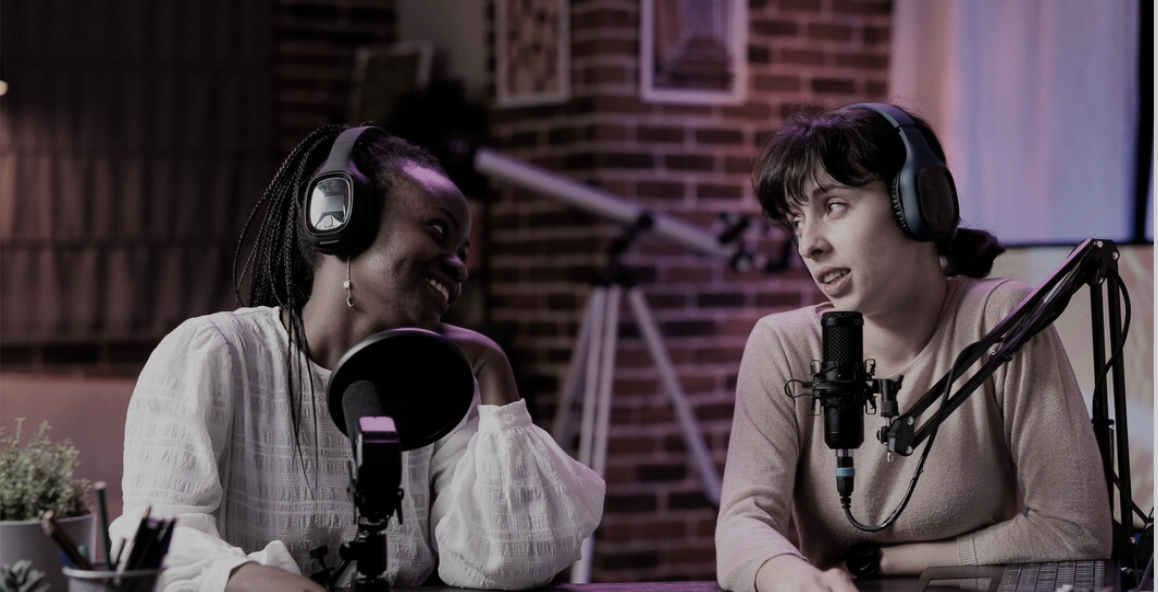
AutoCut Podcast
AutoCut simplifies podcast editing, detecting which guest is speaking and activating the appropriate camera.
AutoCut Podcast
AutoCut simplifies podcast editing, detecting which guest is speaking and activating the appropriate camera.
AutoCut Podcast
AutoCut simplifies podcast editing, detecting which guest is speaking and activating the appropriate camera.

AutoZoom
AutoCut offers a sophisticated automatic zoom function to capture and maintain your audience's attention.
AutoZoom
AutoCut offers a sophisticated automatic zoom function to capture and maintain your audience's attention.
AutoZoom
AutoCut offers a sophisticated automatic zoom function to capture and maintain your audience's attention.

AutoCut Repeat
AutoCut Repeat identifies content repetitions and preserves only the best takes, ensuring efficiency.
AutoCut Repeat
AutoCut Repeat identifies content repetitions and preserves only the best takes, ensuring efficiency.
AutoCut Repeat
AutoCut Repeat identifies content repetitions and preserves only the best takes, ensuring efficiency.

AutoResize
AutoResize creates new sequences in selected social media formats, intelligently tracking subjects to stay centered.
AutoResize
AutoResize creates new sequences in selected social media formats, intelligently tracking subjects to stay centered.
AutoResize
AutoResize creates new sequences in selected social media formats, intelligently tracking subjects to stay centered.

AutoProfanity Filter
Safeguard content integrity with AutoProfanity, employing advanced audio analysis to mask profanities.
AutoProfanity Filter
Safeguard content integrity with AutoProfanity, employing advanced audio analysis to mask profanities.
AutoProfanity Filter
Safeguard content integrity with AutoProfanity, employing advanced audio analysis to mask profanities.

AutoB-Roll
Leverage AI to automate B-Roll integration, enriching your video edits with relevant stock footage.
AutoB-Roll
Leverage AI to automate B-Roll integration, enriching your video edits with relevant stock footage.
AutoB-Roll
Leverage AI to automate B-Roll integration, enriching your video edits with relevant stock footage.
AutoViral
AutoViral identifies high-potential segments in long videos for creating shorts, TikToks, and Reels.
AutoViral
AutoViral identifies high-potential segments in long videos for creating shorts, TikToks, and Reels.
AutoViral
AutoViral identifies high-potential segments in long videos for creating shorts, TikToks, and Reels.
AutoChapters
AutoChapters analyze and segment your videos, offering exportable YouTube format chapters.
AutoChapters
AutoChapters analyze and segment your videos, offering exportable YouTube format chapters.
AutoChapters
AutoChapters analyze and segment your videos, offering exportable YouTube format chapters.
Support
Frequently Asked Questions
Discover all about AutoCut and billing. Can't find what you're looking for? Chat with our team.
Support
Frequently Asked Questions
Discover all about AutoCut and billing. Can't find what you're looking for? Chat with our team.
Support
Frequently Asked Questions
Discover all about AutoCut and billing. Can't find what you're looking for? Chat with our team.
Chat with our team
Chat with our team
Can I use one key/license on two computers?
Yes, but only on one computer at a time. You'll need to unlink your computer from the key before switching computers via your AutoCut customer area.
Is AutoCut compatible with the free version of DaVinci Resolve?
Can I cancel my subscription later?
Can I cancel my subscription later?
Can I cancel my subscription later?
Can I use one key/license on two computers?
Yes, but only on one computer at a time. You'll need to unlink your computer from the key before switching computers via your AutoCut customer area.
Is AutoCut compatible with the free version of DaVinci Resolve?
Can I cancel my subscription later?
Can I cancel my subscription later?
Can I cancel my subscription later?
Can I use one key/license on two computers?
Yes, but only on one computer at a time. You'll need to unlink your computer from the key before switching computers via your AutoCut customer area.
Is AutoCut compatible with the free version of DaVinci Resolve?
Can I cancel my subscription later?
Can I cancel my subscription later?
Can I cancel my subscription later?
Testimonials
What Our Users Are Saying About Us
AutoCut automatically cuts silence, making my work easier. I use it to cut silence and subtitle videos—it helps a lot. Recommended to friends.

Gabriel Henrique
AutoCut is a fabulous tool for video editors, turning hours of work into a single click. It's great!
Gabriel Henrique
AutoCut automatically cuts silence, making my work easier. I use it to cut silence and subtitle videos—it helps a lot. Recommended to friends.
Gabriel Henrique
AutoCut's automated caption generation has streamlined my workflow, saving me time to focus on creative editing. It's fast, accurate, and a huge help.
Rostek Gudz
AutoCut is a fabulous tool for video editors, turning hours of work into a single click. It's great!
Gabriel Henrique
AutoCut is a fabulous tool for video editors, turning hours of work into a single click. It's great!
Arshad Raza
AutoCut is a fabulous tool for video editors, turning hours of work into a single click. It's great!
Rostek Gudz
AutoCut is a fabulous tool for video editors, turning hours of work into a single click. It's great!
Gabriel Henrique
Testimonials
What Our Users Are Saying About Us
AutoCut automatically cuts silence, making my work easier. I use it to cut silence and subtitle videos—it helps a lot. Recommended to friends.
Gabriel Henrique
AutoCut is a fabulous tool for video editors, turning hours of work into a single click. It's great!
Gabriel Henrique
AutoCut automatically cuts silence, making my work easier. I use it to cut silence and subtitle videos—it helps a lot. Recommended to friends.
Gabriel Henrique
AutoCut's automated caption generation has streamlined my workflow, saving me time to focus on creative editing. It's fast, accurate, and a huge help.
Rostek Gudz
AutoCut is a fabulous tool for video editors, turning hours of work into a single click. It's great!
Gabriel Henrique
AutoCut is a fabulous tool for video editors, turning hours of work into a single click. It's great!
Arshad Raza
AutoCut is a fabulous tool for video editors, turning hours of work into a single click. It's great!
Rostek Gudz
AutoCut is a fabulous tool for video editors, turning hours of work into a single click. It's great!
Gabriel Henrique
Testimonials
What Our Users Are Saying About Us
AutoCut is a fabulous tool for video editors, turning hours of work into a single click. It's great!
Gabriel Henrique
AutoCut's automated caption generation has streamlined my workflow, saving me time to focus on creative editing. It's fast, accurate, and a huge help.
Rostek Gudz
AutoCut is a fabulous tool for video editors, turning hours of work into a single click. It's great!
Gabriel Henrique
AutoCut is a fabulous tool for video editors, turning hours of work into a single click. It's great!
Arshad Raza
View all Testimonials


Start your 14-day free trial
Join over 10,000+ video editors enhancing their skills with AutoCut.
Download for free
Start your 14-day free trial
Join over 10,000+ video editors enhancing their skills with AutoCut.
Download for free
Start your 14-day free trial
Join over 10,000+ video editors enhancing their skills with AutoCut.
Download for free

Eliminate hours of repetitive tasks and focus on creative video editing.


AutoCut is an Adobe video partner
© 2025 AutoCut. All rights reserved.
Eliminate hours of repetitive tasks and focus on creative video editing.
AutoCut is an Adobe video partner
© 2025 AutoCut. All rights reserved.
Eliminate hours of repetitive tasks and focus on creative video editing.
AutoCut is an Adobe video partner
© 2025 AutoCut. All rights reserved.